


Centralized Device Group Management
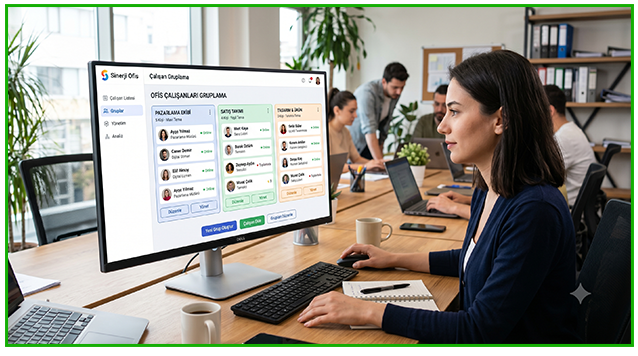
Managing hundreds or even thousands of computers individually is time-consuming and inefficient. With BossEye Device Group Management, you can organize computers into logical groups based on departments, offices, locations, projects, or any custom criteria, making remote management significantly faster and easier.
Whether your organization has 20 devices or 20,000 endpoints, BossEye helps you manage them from a single centralized dashboard.
Organize Computers Any Way You Want
BossEye allows you to create unlimited custom device groups without restrictions.
For example, you can organize computers by:
- Accounting
- Human Resources
- Sales
- Development Team
- Customer Support
- Headquarters
- Branch Offices
- Remote Employees
- Field Staff
You can also assign a single computer to multiple groups simultaneously. This makes it possible to organize devices by department, location, project, or any combination that fits your organization.
Manage Multiple Computers at Once
Once your device groups are created, administrative tasks become much more efficient.
You can perform bulk operations such as:
- Live screen monitoring
- Remote desktop access
- File distribution
- Software deployment
- Send messages to users
- Execute remote commands
- Restart or shut down computers
- Apply security policies
Instead of repeating the same action on every individual device, BossEye lets you manage entire groups with just a few clicks.
Department-Based Device Management
Every department has different operational needs.
The Accounting department may require different monitoring policies than the Development or Customer Support teams.
BossEye enables administrators to apply department-specific management policies, making IT operations more flexible while improving security and compliance across the organization.
Location-Based Computer Management
Organizations with multiple offices often struggle to manage devices spread across different locations.
With BossEye, you can group computers by:
- Office
- Branch
- City
- Country
- Region
All devices can be monitored and managed remotely from a single interface, regardless of where they are located.
Computers do not need to be connected to the same local network. An internet connection is all that's required.
Faster Navigation and Easier Administration
Finding the right computers becomes effortless when devices are properly organized.
Instead of searching through hundreds of endpoints, simply select the appropriate group and instantly access the devices you need.
This helps your IT team:
- Save valuable time
- Reduce administrative errors
- Improve operational efficiency
- Simplify large-scale device management
Why Choose BossEye Device Group Management?
BossEye provides enterprise-grade device organization features, including:
- Unlimited device groups
- Nested group structures
- Multi-group device assignments
- Bulk management operations
- Department-based administration
- Location-based device organization
- Centralized management for distributed environments
Whether your workforce is in the office, working remotely, or spread across multiple locations, BossEye keeps your entire infrastructure organized and easy to manage.
Simplify Enterprise Device Management with BossEye
BossEye Device Group Management is designed for organizations that need a scalable and efficient way to manage their IT infrastructure.
By organizing computers into logical groups, administrators can monitor devices, deploy software, provide remote support, and perform bulk administrative tasks from a single, centralized platform.
Save time, reduce complexity, and improve productivity with BossEye.
Bosseye Try BossEye free for 3 days with no credit card required and no payment information needed. Experience all features without any commitment. When your free trial ends, you can instantly upgrade to a licensed version without reinstalling the software or changing any settings. Continue using BossEye exactly where you left off.
Start Your Free 3-Day Trial